How To Read A WeChat Official Account
How to Read a WeChat Official Account
A screen by screen guide for foreign brands, event visitors and anyone new to WeChat. What each part of an Official Account means, from the profile to articles, videos and photo posts.
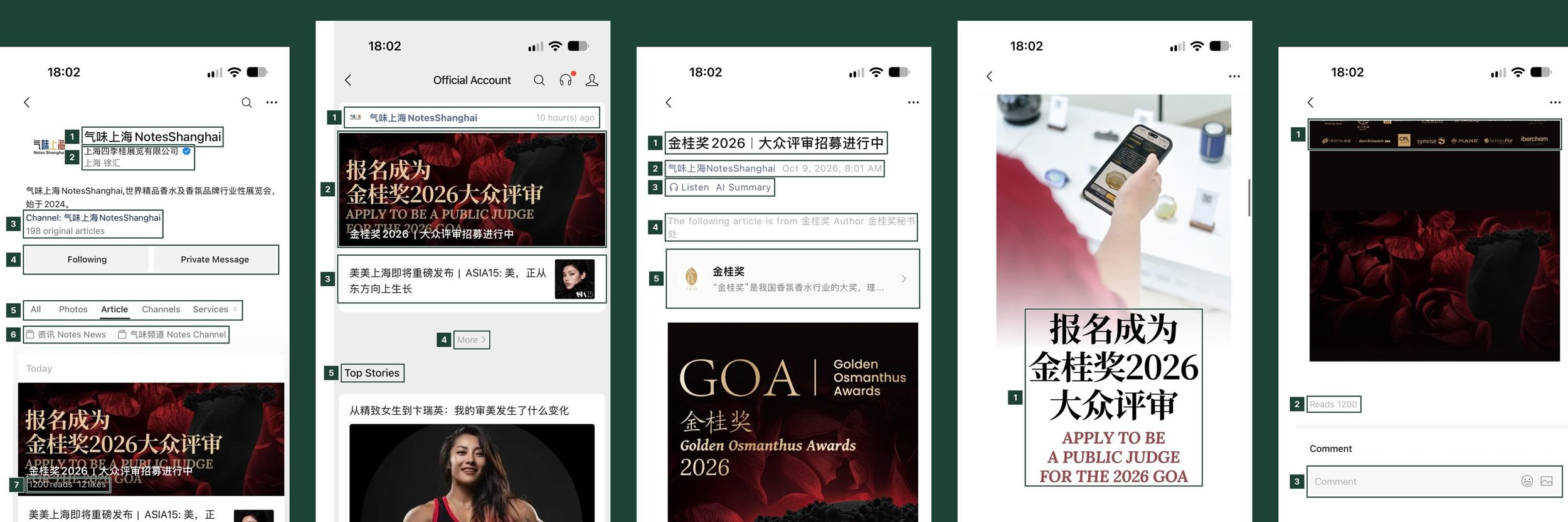
WeChat is the most used app in China. People use it to message, pay, book and read the news, and anyone who comes to China for business or a trip ends up using it within the first day. Exhibitions, hotels, museums and brands publish their schedules, registration links and news on WeChat Official Accounts.
If your brand is planning a WeChat Official Account, or you are simply trying to make sense of one, it helps to know what each part of the account means. We went through one real account, run by a trade exhibition organiser in Shanghai, and marked what each element means. The screenshots were taken in October 2026.
This guide covers the content on Official Accounts: the profile, what followers receive, articles, videos and photo posts. It does not cover the rest of WeChat, such as chats, WeChat Pay or Mini Programs.
The Account Profile
The profile is the account's home page. Readers land here when they search for an account or tap its name.
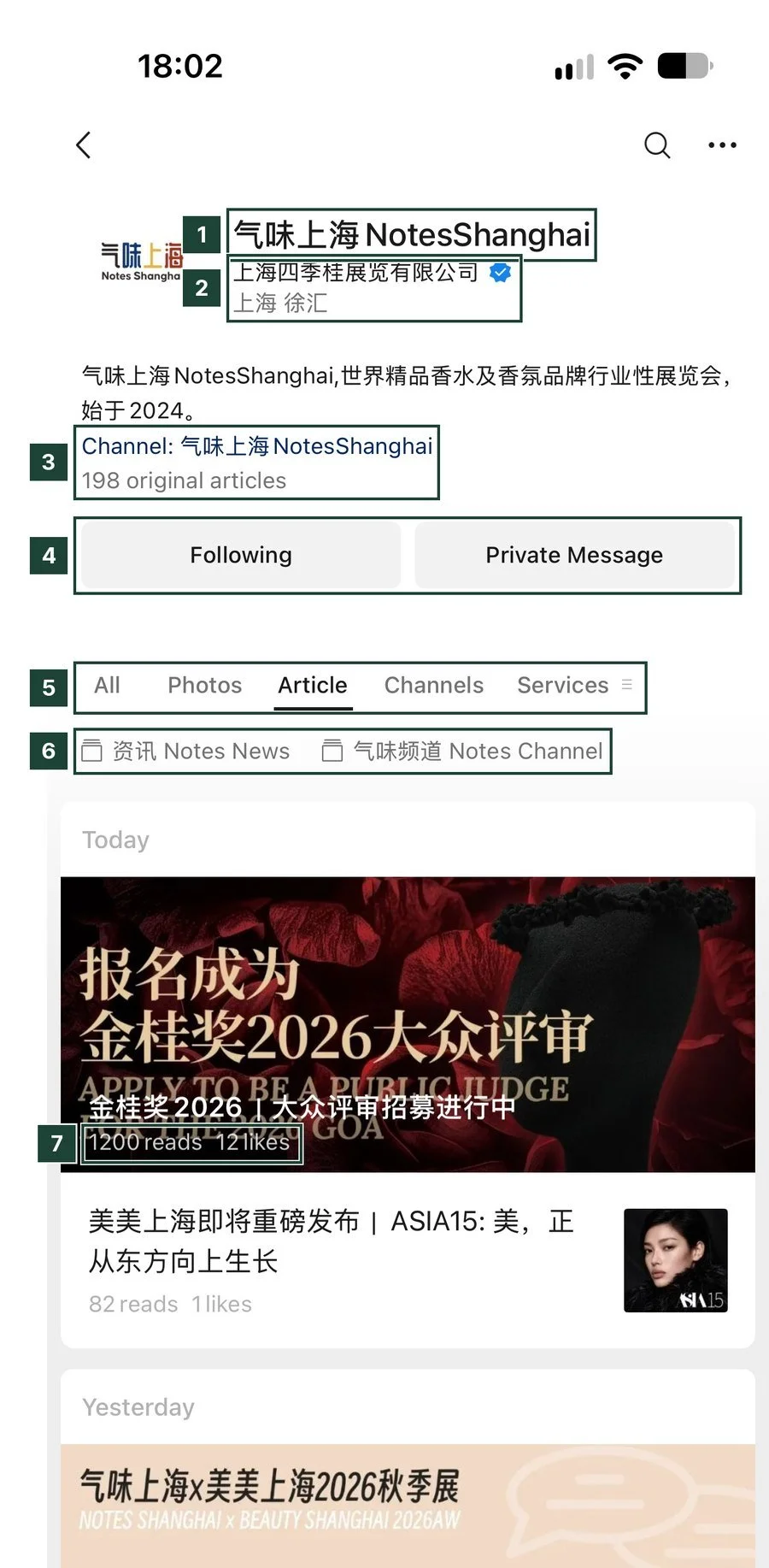
- Account name, in Chinese and English.
- The company behind the account, verified by WeChat with a blue badge, plus its city and district.
- Channel · 198 original articles: a link to the account's video channel, and the number of articles marked as original. WeChat protects original articles from copying.
- Following · Private Message: readers follow the account and can message it directly.
- Tabs for all posts, photo posts, articles, videos and services.
- 资讯 · 气味频道 (news, channel): collections that group articles by topic.
- 1200 reads · 12 likes: every article shows its read count publicly.
Read counts are public. Anyone checking your account sees how many people read each article, which makes an account with steady readership look more credible than one with a large follower number and low reads.
What Followers Receive
Followers see new posts in their Official Accounts feed. One post can hold several articles.
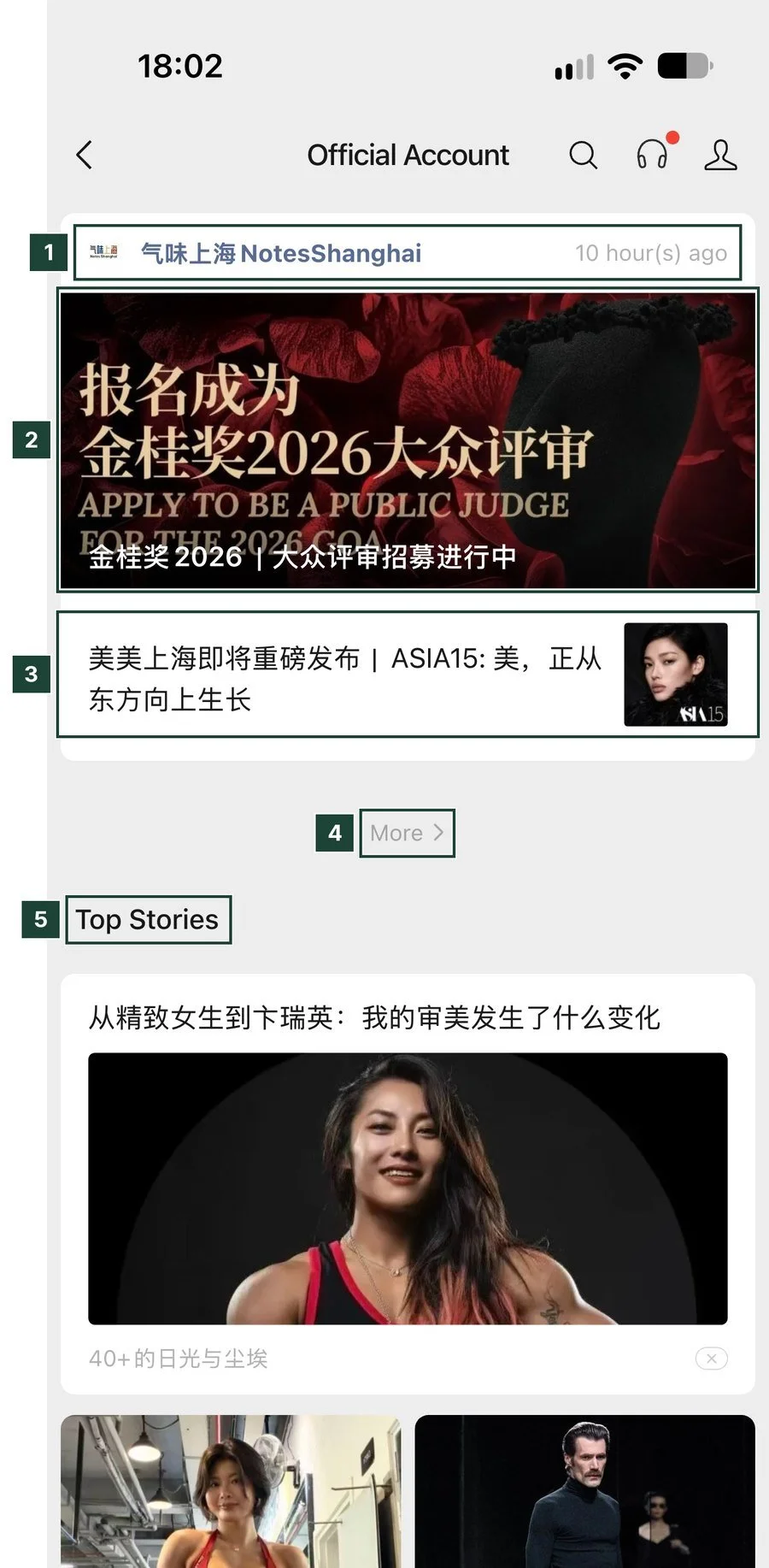
- New posts land in the reader's Official Accounts feed, with the account name and the time posted.
- Headline article: the first article in a post gets the large cover and most of the reads.
- Second article: one post can carry several articles. In this post the second article got 82 reads against 1,200 for the headline.
- More opens earlier posts from the same account.
- Top Stories is WeChat's recommendation feed, partly based on what the reader's friends read.
The Top of an Article
An article opens with the title, the author account and the tools WeChat adds to every article.
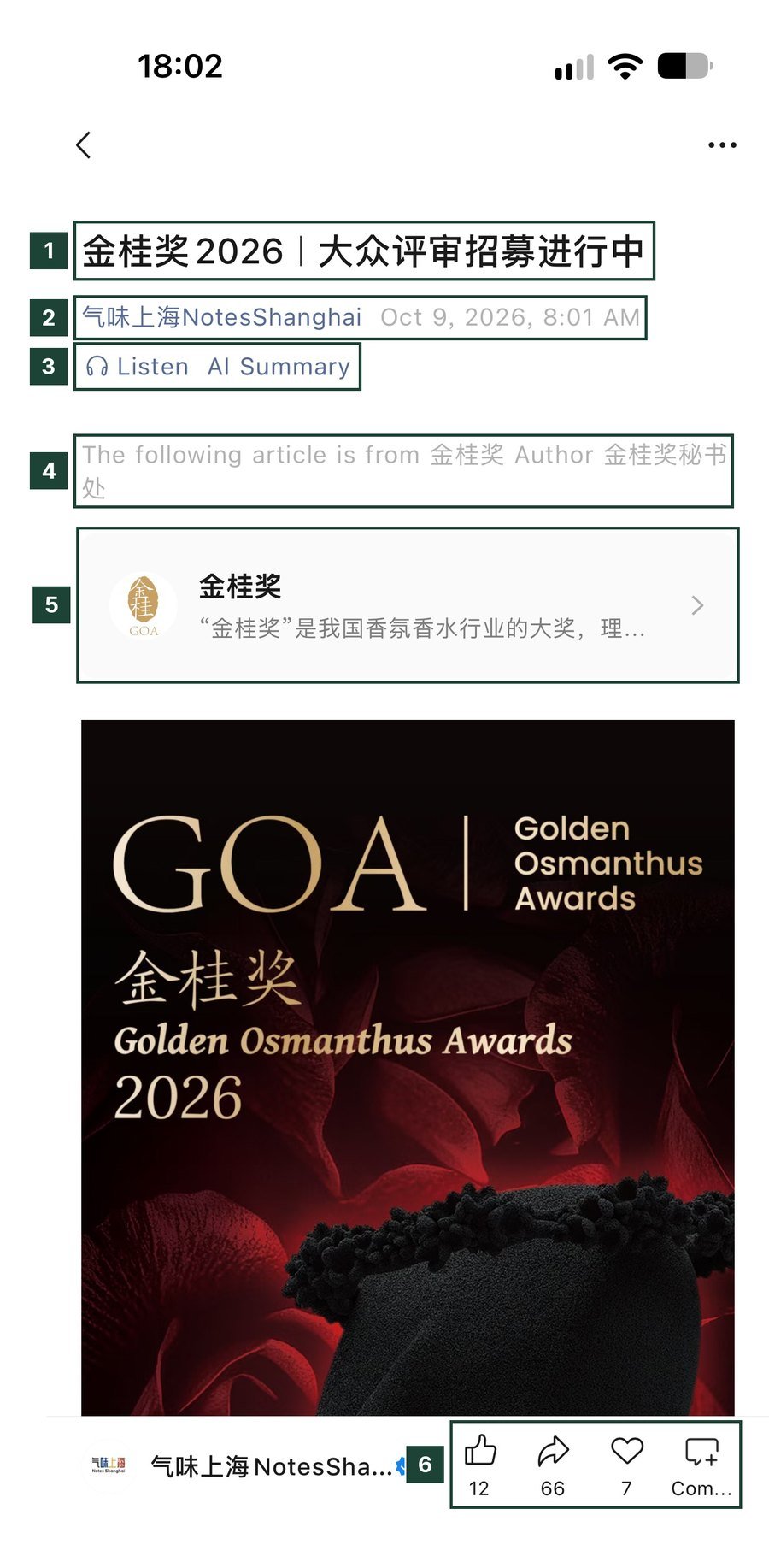
- The article title.
- Account name and publishing time.
- Listen · AI Summary: WeChat reads the article aloud or summarises it.
- The following article is from 金桂奖: the account republished another account's article, with credit.
- The original account's card. Readers can tap through and follow it.
- 12 · 66 · 7: likes, shares and recommendations to friends. Articles spread mostly through shares into private chats and group chats.
Shares matter more than likes on WeChat. This article has 12 likes and 66 shares, which means most of its 1,200 reads probably came from people forwarding it to colleagues and group chats.
The Article Body
WeChat articles are long, vertical pages that mix images and text.
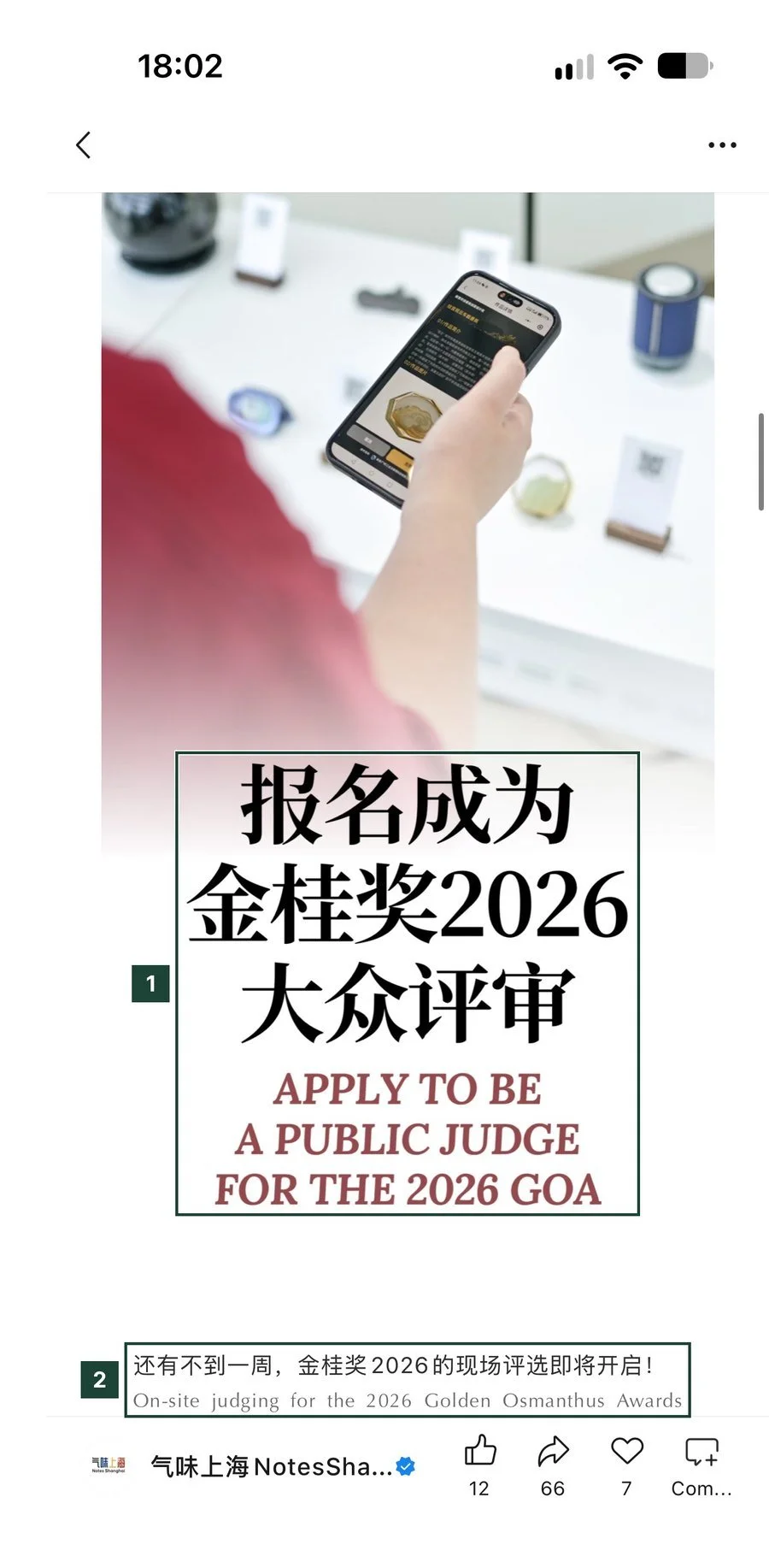
- Many accounts design key parts of the article as images, like this title card, so the layout looks the same on every phone.
- This account writes Chinese and English side by side for its international audience.
Design is a large part of the work on a WeChat account. Most brands use a fixed set of templates for headers, dividers and image cards so every article looks consistent. Our article on how to open an Official WeChat Account covers the setup steps.
The End of an Article
The bottom of an article shows the read count and the comment section.
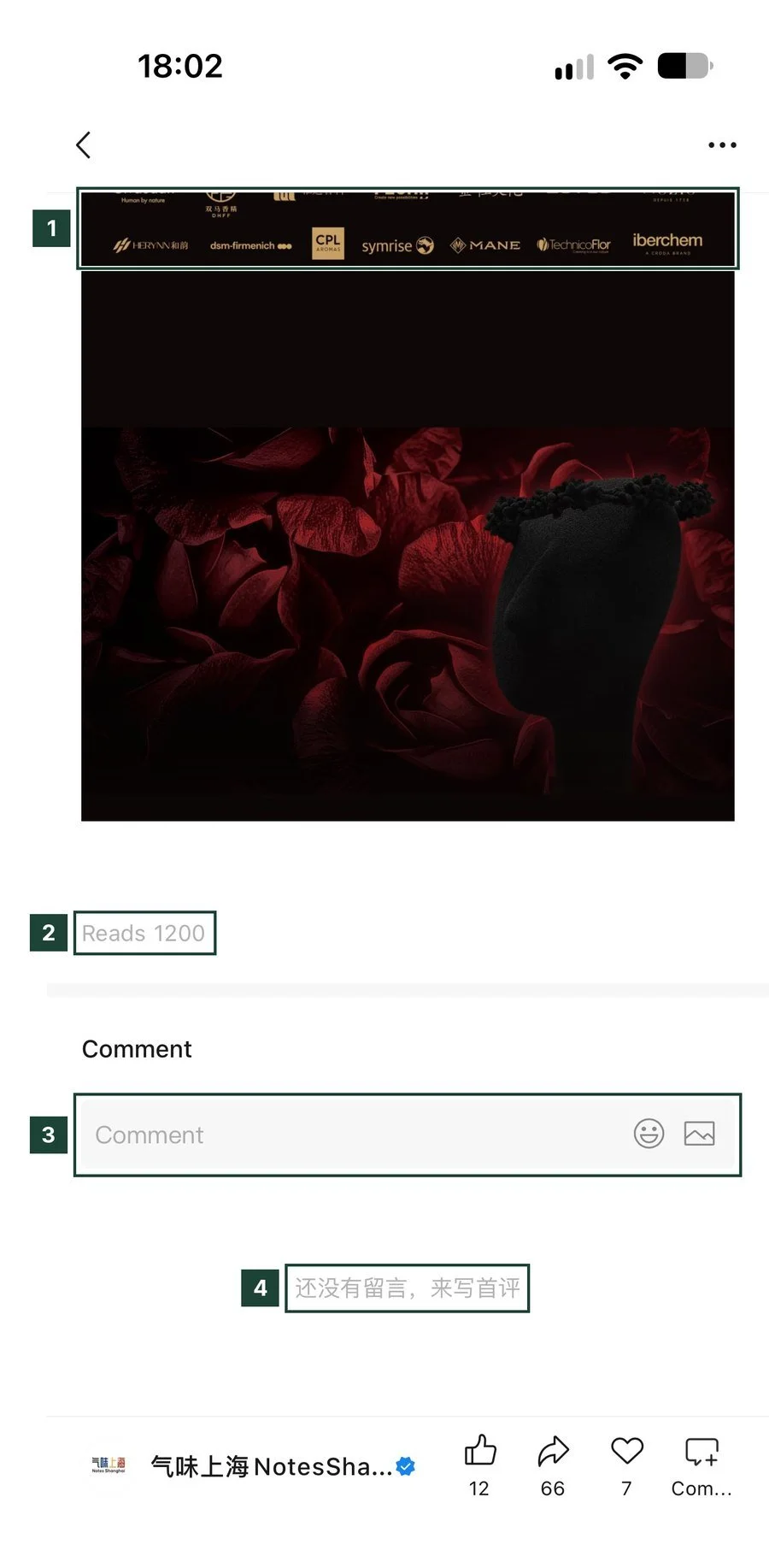
- Partner and sponsor logos, a common close for event articles.
- Reads 1200: the public read count.
- The comment box.
- 还没有留言 (no comments yet). The account chooses which comments are shown publicly.
Channels
Channels (视频号) is WeChat's short video feed. An account's videos sit on the same profile as its articles.
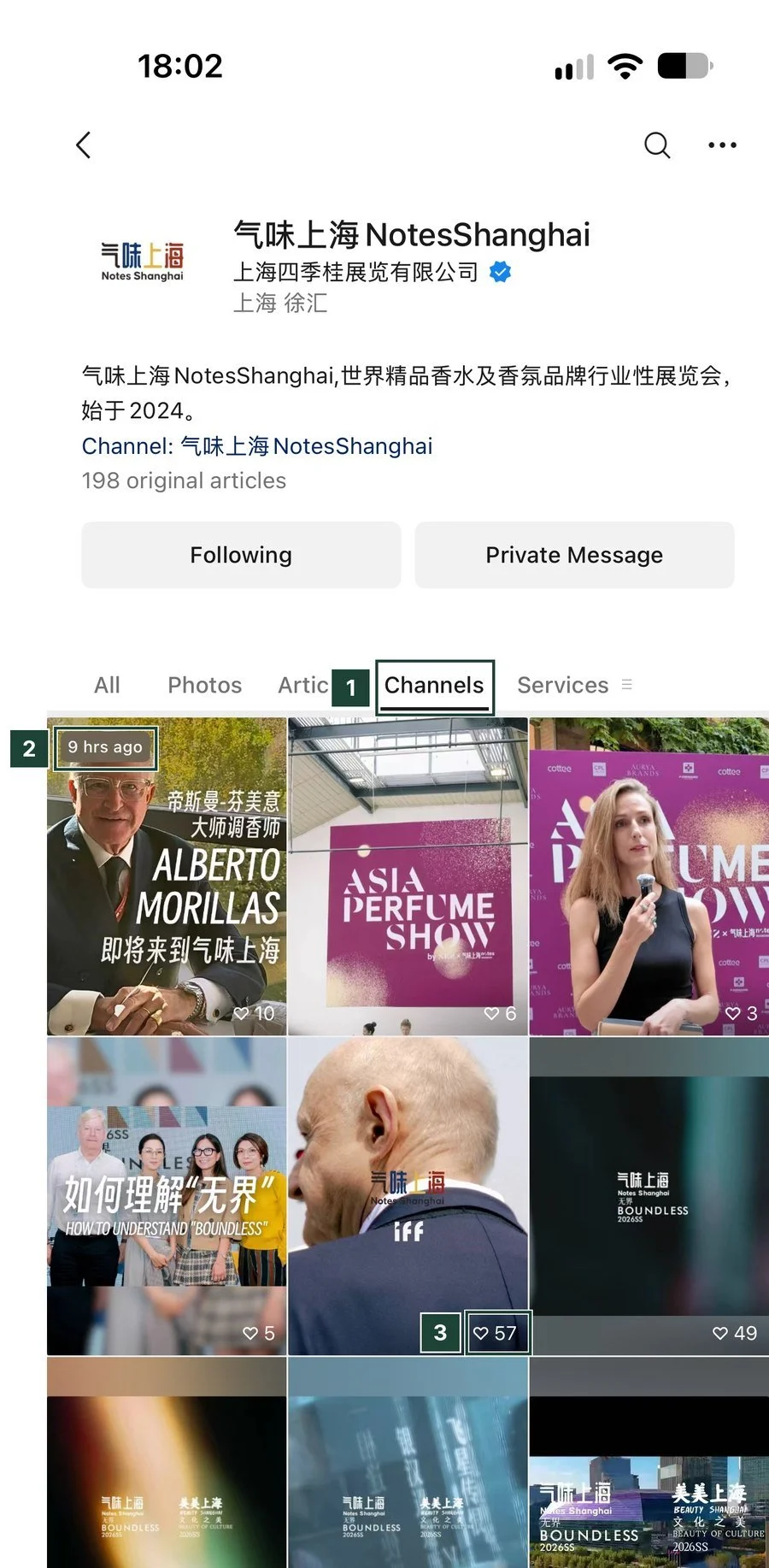
- Channels (视频号) tab on the account profile.
- 9 hrs ago: the newest video comes first.
- ♡ 57: likes per video.
A Channels Video
Channels videos play full screen, much like Douyin or TikTok, with WeChat's social features added.
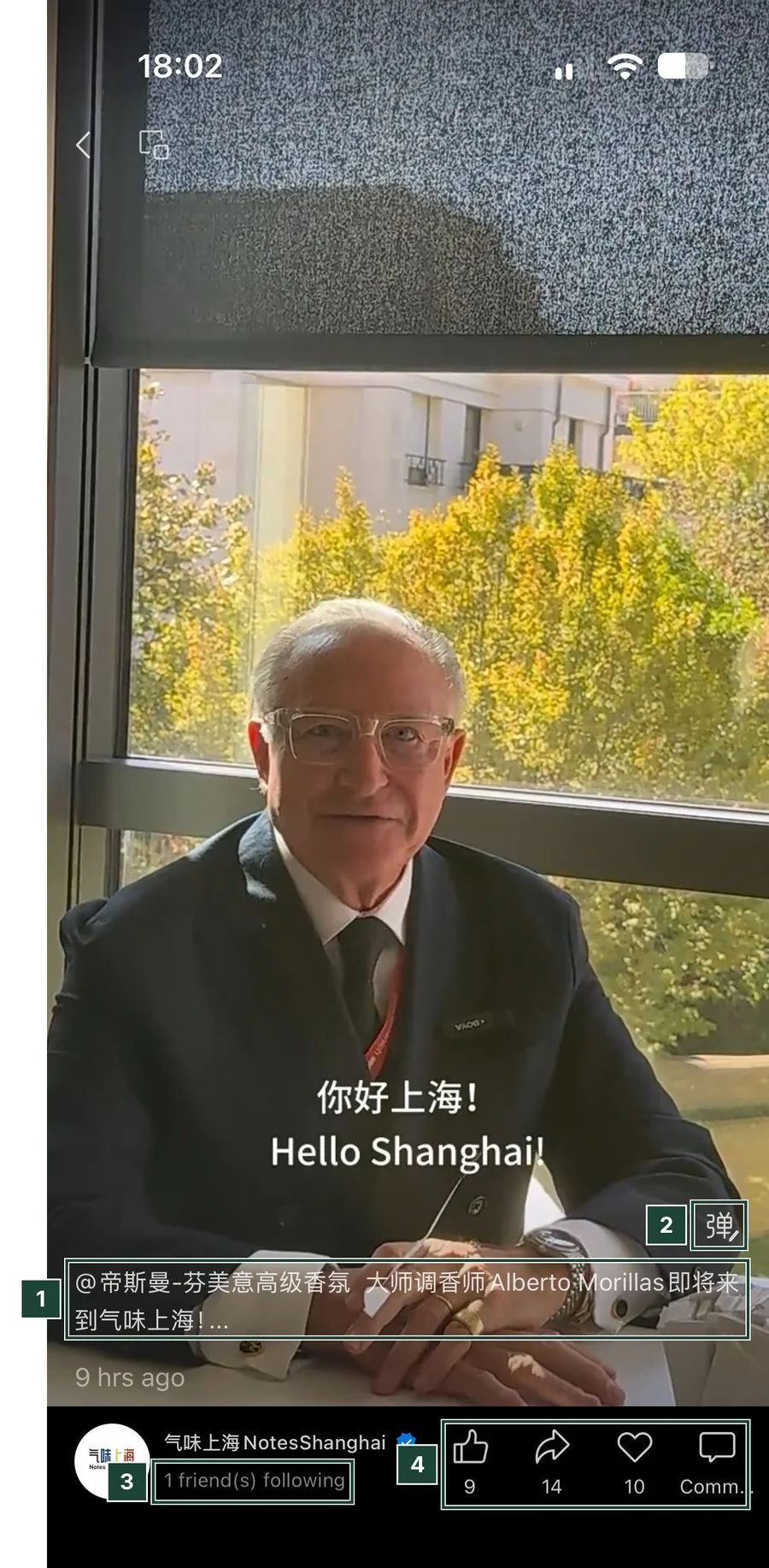
- The caption with an @mention of a fragrance company's account, which links the two accounts.
- 弹 (bullet comments): comments that scroll across the video.
- 1 friend(s) following: WeChat shows which of your friends follow the account. Videos your friends like can also appear in your feed.
- Likes, shares, recommendations and comments.
The friends signal is what sets Channels apart from other video apps. A video spreads when people in a viewer's own network like or share it, which is why Channels works well for B2B and event content aimed at a professional audience.
Photo Posts
Photo posts are short picture posts on the same profile, closer to a Little Red Book note than to an article.
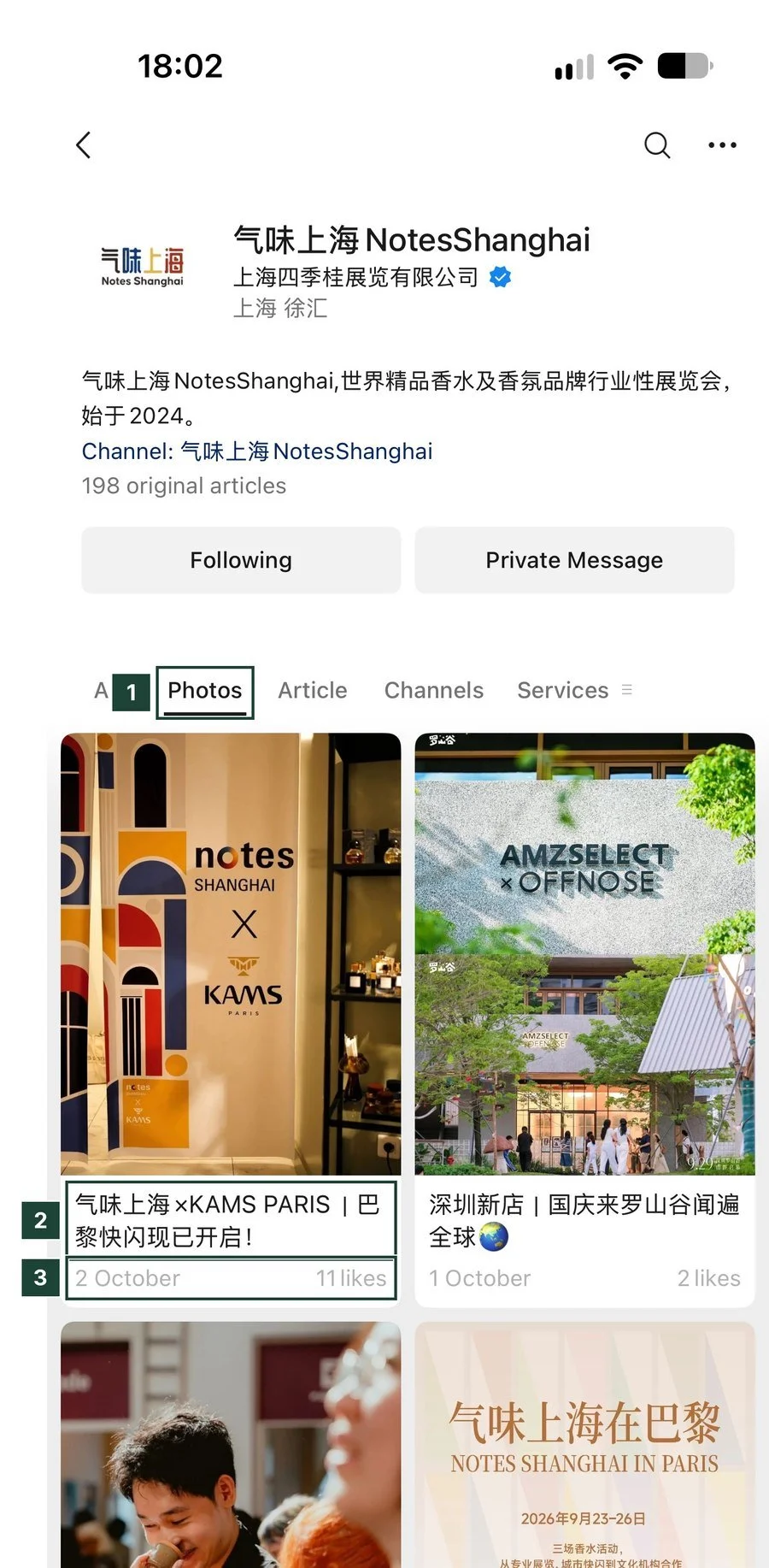
- Photos tab for picture posts, shorter than articles.
- The post title.
- Date and likes.
What It Takes to Run an Account
An Official Account combines several formats on one profile: long articles, short videos and photo posts, each with its own way of reaching readers. Articles reach followers and spread through shares, Channels videos spread through friends and recommendations, and photo posts fill the gaps between larger articles.
Setting up an account, designing the templates and publishing on a steady schedule is complex work, especially in Chinese. Most foreign brands work with a team in China for social media management.
Frequently Asked Questions
What is a WeChat Official Account?
A WeChat Official Account (公众号) is a public account that companies, organisations and media use to publish articles, videos and photo posts to followers inside WeChat. Followers receive new posts in their Official Accounts feed.
Can foreign companies open a WeChat Official Account?
Yes. A foreign company can open an Official Account registered to its overseas business, or a Chinese entity can register one. The registration type affects which features the account gets, such as WeChat Pay and some advertising options.
Why do WeChat articles show the number of reads?
WeChat shows the read count under every Official Account article. It lets readers see how widely an article was read, so steady readership builds an account's credibility.
What is the difference between an article and a Channels video on WeChat?
Articles are long posts sent to followers and spread through shares in chats. Channels (视频号) are short videos in a separate feed that spread through friends' likes and WeChat's recommendations. Both sit on the same account profile.
Does this guide cover all of WeChat?
No. It covers the content on Official Accounts only. Chats, WeChat Pay, Mini Programs and advertising are separate parts of WeChat.